
An optional local server
Enabling MCP exposes selected database tools to the client you configure. It does not make your database a public service.
MQLens includes an optional Model Context Protocol (MCP) server. It lets compatible clients discover allowed connections and work with MongoDB through tools for querying, aggregation, explain plans, and schema analysis. MCP is off by default and access is enabled per connection.
Free & open source (Apache-2.0) · No telemetry · No account.
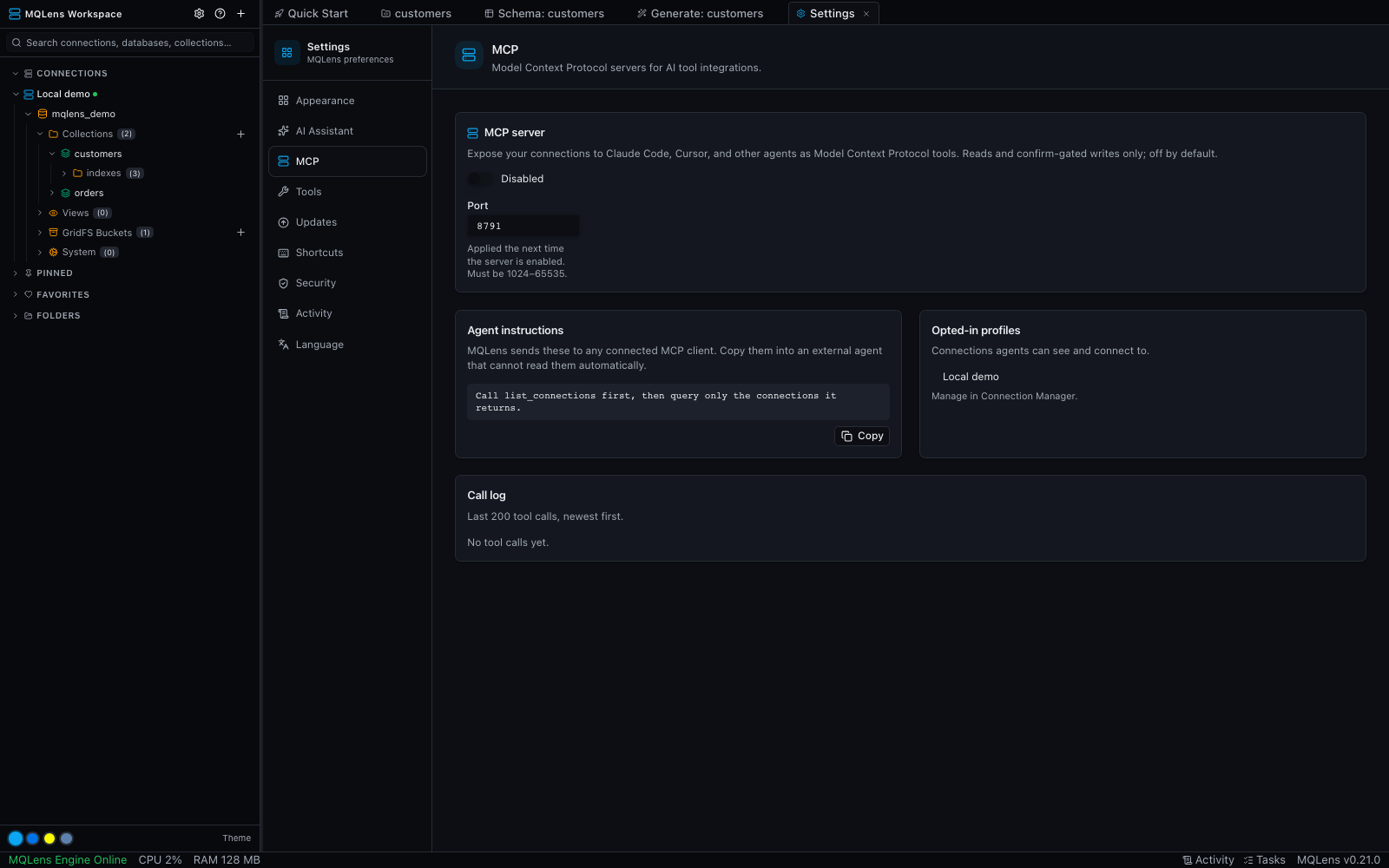
Start with a local test database or a MongoDB account with limited permissions. Enable MCP access only for connections the agent needs.
Open the MCP settings in MQLens and use the configuration shown for your compatible agent. Treat its access token as a credential.
Review the live call log. Read-only connections block writes; write-capable tools require the applicable confirmation. Keep database permissions scoped as well.
Enabling MCP exposes selected database tools to the client you configure. It does not make your database a public service.
Connection controls and the call log make it possible to inspect what the agent can reach and what it requested.
Your agent may send tool results to its model provider. Review its data handling before enabling access to sensitive records. Read the MCP tool reference for setup and controls.
6,303 release asset downloads
Windows 10 or later (x64)
Download the installer, run it, and launch MQLens from the Start menu.
macOS 11 (Big Sur) or later
Download the .dmg, open it, and drag MQLens to your Applications folder.
Ubuntu 20.04+, Fedora 36+, or equivalent (x64)
Debian/Ubuntu: install the .deb. Fedora/RHEL: install the .rpm. An AppImage is also available.
Free, open source, native — yours to inspect and run.
Download for free