
What MQLens offers
A free Apache-2.0 desktop app, encrypted local credentials, split panes, document editing, aggregation pipelines, and explain plans. See the complete feature list.
Looking for a new workspace after using Robo 3T? MQLens combines a document browser, aggregation editor, explain plans, and an optional mongosh shell. The former Robo 3T website now points visitors to Studio 3T Community Edition.
Free & open source (Apache-2.0) · No telemetry · No account.
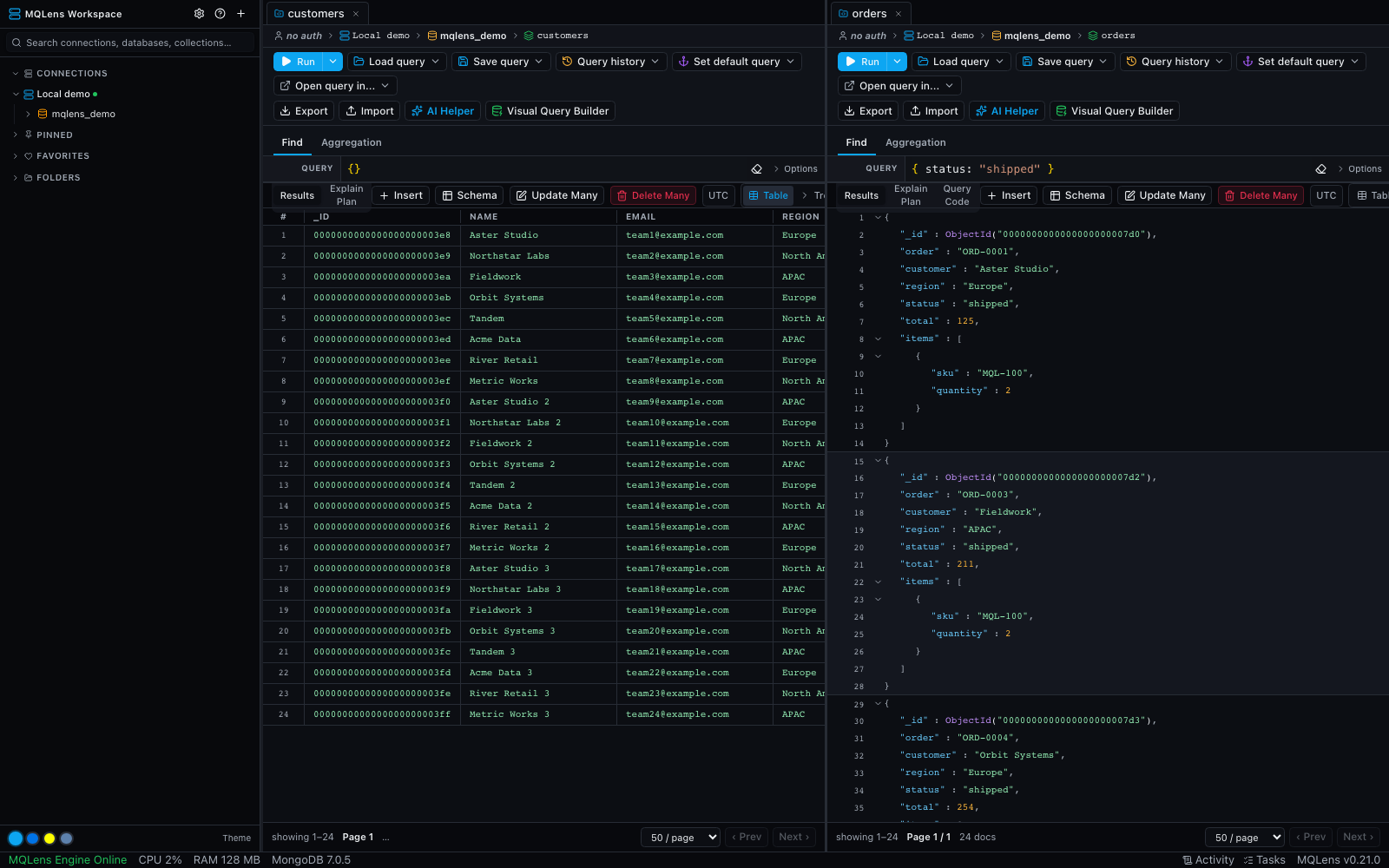
Set up your connection and check authentication, TLS, and SSH requirements before moving any production work.
Browse the result, build an aggregation, and inspect an explain plan. Compare usability with the tool you already know.
Start with a test database and recreate the connection settings in MQLens. Check your authentication, TLS and SSH setup, then validate your saved queries. Automatic import of Robo 3T connection profiles is not advertised.
A free Apache-2.0 desktop app, encrypted local credentials, split panes, document editing, aggregation pipelines, and explain plans. See the complete feature list.
Start with a test database and recreate the connection settings in MQLens. Check your authentication, TLS and SSH setup, then validate your saved queries. Automatic import of Robo 3T connection profiles is not advertised.
Product information reviewed on October 4, 2026. See the official Robo 3T website for current features and license terms.
6,303 release asset downloads
Windows 10 or later (x64)
Download the installer, run it, and launch MQLens from the Start menu.
macOS 11 (Big Sur) or later
Download the .dmg, open it, and drag MQLens to your Applications folder.
Ubuntu 20.04+, Fedora 36+, or equivalent (x64)
Debian/Ubuntu: install the .deb. Fedora/RHEL: install the .rpm. An AppImage is also available.
Free, open source, native — yours to inspect and run.
Download for free