Features

Everything MQLens does

A full-power MongoDB GUI in a tiny native app — the connection coverage, query tooling, and safety features you usually pay for, free and private.

Connect to any MongoDB

Standalone, replica set, or raw connection string — with the TLS and network options real deployments need, and a connection test that tells you exactly where it failed.

  • TLS with system CA, custom CA file, or client certificate
  • SSH tunnel and SOCKS5 proxy for databases behind a bastion
  • Staged Test Connection: parse → DNS resolve → connect → ping
  • Configurable connect / server-selection timeouts
MQLens connection manager with a saved local MongoDB connection

Every authentication mechanism

Configure supported MongoDB authentication methods, including mechanisms that use the $external authentication database.

  • SCRAM-SHA-1 and SCRAM-SHA-256
  • X.509 client certificates
  • MONGODB-AWS (IAM, including session token)
  • GSSAPI / Kerberos and LDAP (PLAIN)
MQLens new connection dialog configured for a local MongoDB

Query visually or in code

Run find with full controls and build queries with a visual builder — without ever losing the editable raw query.

  • Filter, sort, projection, skip, limit, and pagination
  • Visual query builder with rule-based filters
  • Switch between the builder and the raw query freely
MQLens visual query builder beside MongoDB documents

Explain plans & index management

Understand what a query actually does — for both find and full aggregation pipelines — and manage the indexes that make it fast.

  • Visual explain-plan tree for find and aggregate
  • Create, inspect, and drop indexes with real key patterns
  • See unique / sparse flags and operational status
  • Create, drop, and rename collections, databases, and views
MQLens index detail view with definition and raw BSON metadata

Browse and edit data — safely

Inspect documents as a table, tree, or JSON. Review changes and use confirmation prompts to help avoid unintended bulk edits.

  • View, insert, edit, and delete documents
  • Guarded bulk update-many / delete-many with a counted confirmation
  • Schema analysis: per-field types and coverage, including nested paths
MQLens browsing MongoDB customer documents

A workspace that spans your monitors

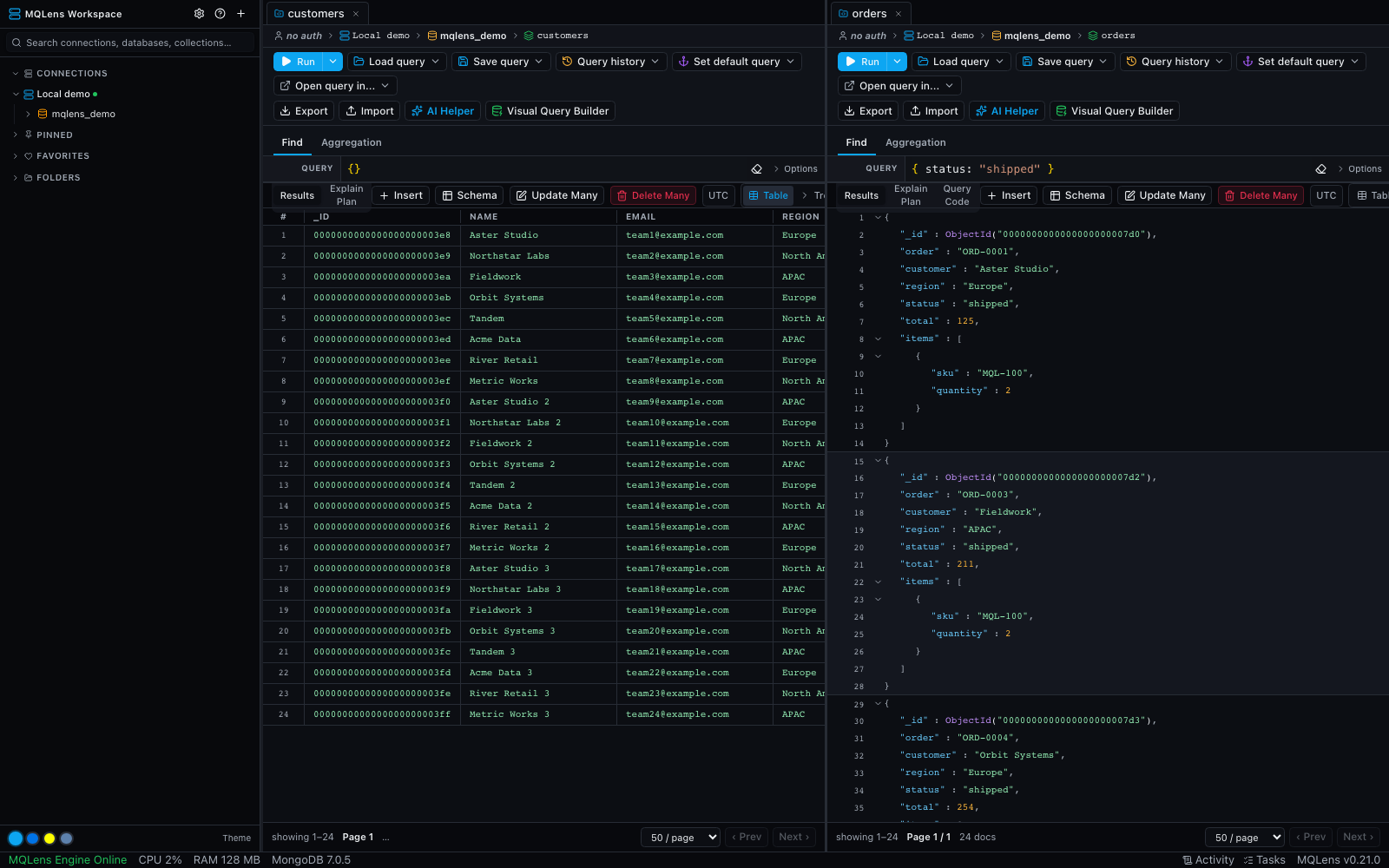
Split the view into panes and pull tabs into their own windows, then pick up right where you left off after a restart.

  • Open a collection in several tabs to compare queries; duplicate a tab to branch from its current query
  • Drag a tab to a pane edge to split; keep a shell under your results
  • Detach a tab into its own OS window and spread work across monitors
  • Session restore brings back your windows, splits, and tabs
  • Tabs wake disconnected — reconnect per connection with one click
MQLens split workspace with sample collections

Generate realistic test data

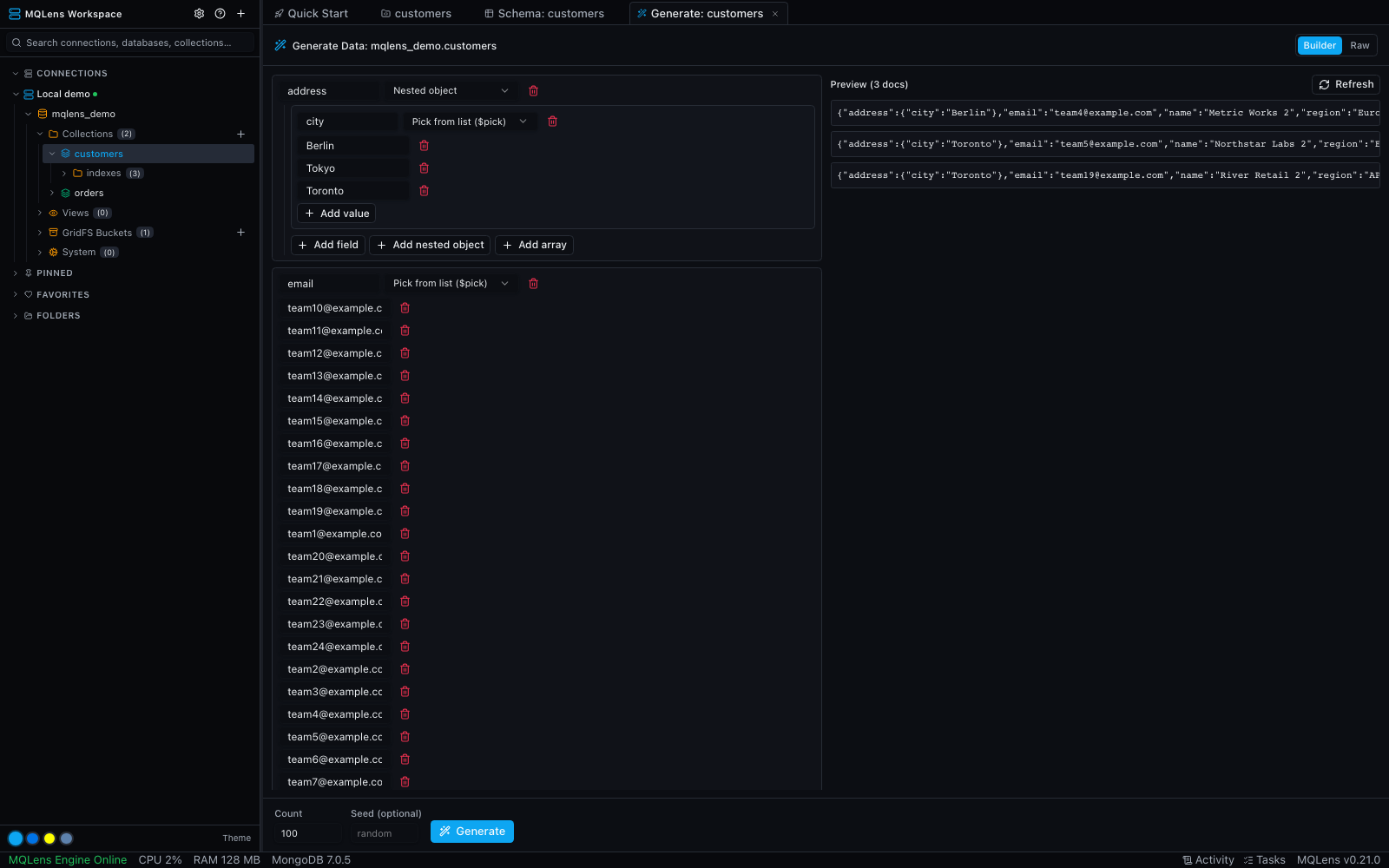
Seed a collection with synthetic documents from a template — or infer the template from an existing collection and "generate more like this."

  • Per-field generators: names, emails, numbers, dates, ObjectId, UUID, enums
  • Nested objects and arrays with count ranges
  • Schema-aware templates, with a live preview before you insert
  • Up to 50,000 documents as a cancellable background task
MQLens data generator with a synthetic document template

Safeguards for production workflows

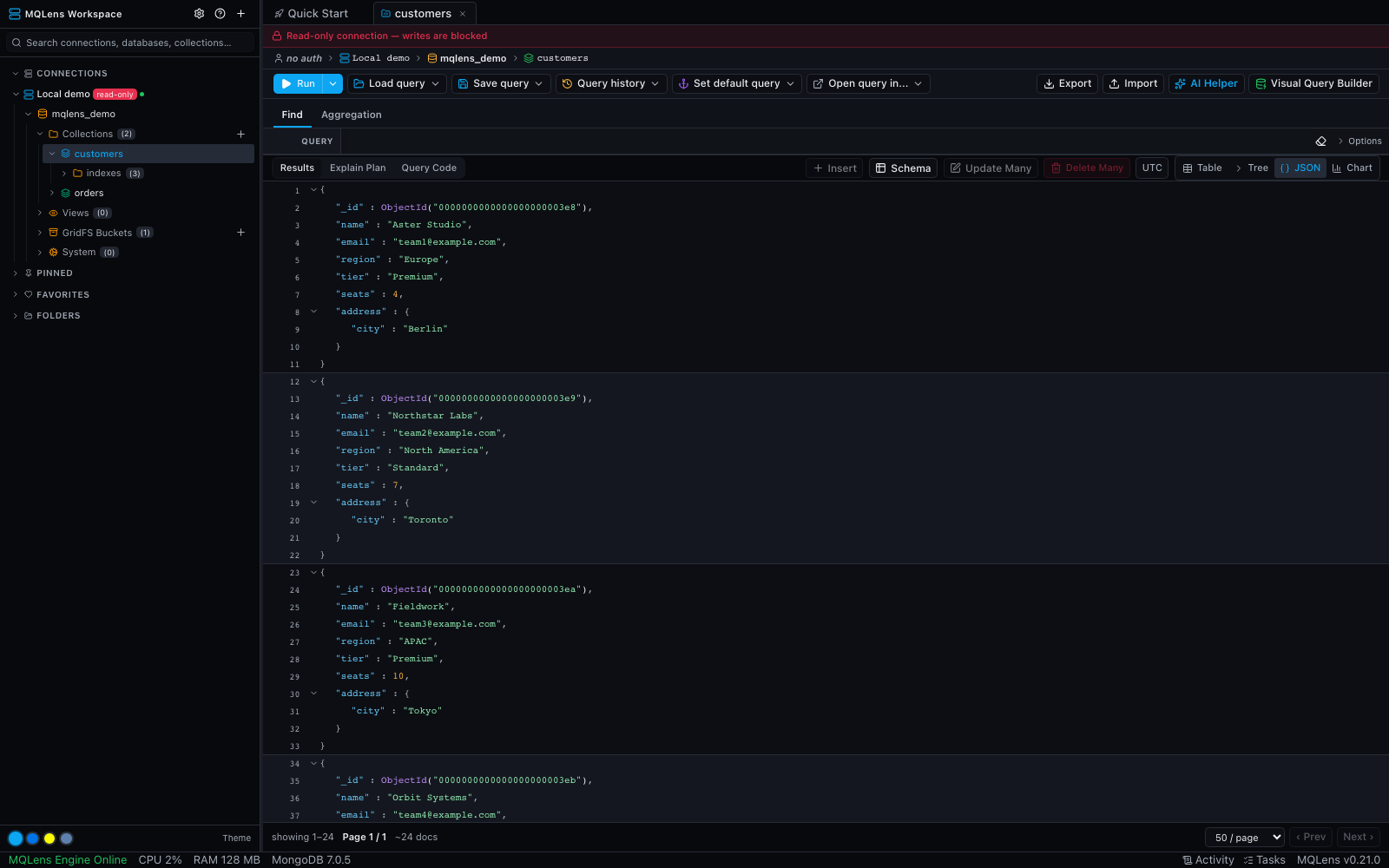
Mark a connection read-only or confirm-destructive and the guard is enforced in the backend — for the UI and AI agents alike, not just by hiding buttons.

  • Read-only blocks every write; a banner and badge make the mode obvious
  • Confirm-destructive requires typing the collection name for drops and bulk ops
  • Enforced at the command layer across the whole app
  • Set per connection in the connection manager
MQLens read-only connection and document workspace

GridFS & import / export

Work with file storage and move data in and out — including large, full-collection jobs that run in the background.

  • Browse GridFS buckets and download stored files
  • Import and export JSON and CSV
  • Full-collection background exports
MQLens GridFS browser showing files in a bucket

Embedded mongosh

For the moments a GUI cannot reach, drop into a real shell — backed by an actual mongosh binary — without leaving the workspace.

  • Real mongosh, not a re-implementation
  • Run ad-hoc commands and inspect returned documents inline
  • Stay in the same connected workspace
MQLens embedded mongosh shell

AI query assistant

Describe what you want in plain language and get MQL back — with the generated query always visible and editable.

  • Natural language → MQL
  • Your choice of provider: Anthropic, OpenAI, Gemini, or local agent CLIs
  • Bring your own key — it stays in the backend, out of the frontend
MQLens AI query assistant panel beside MongoDB documents

Drive MongoDB from your AI agent

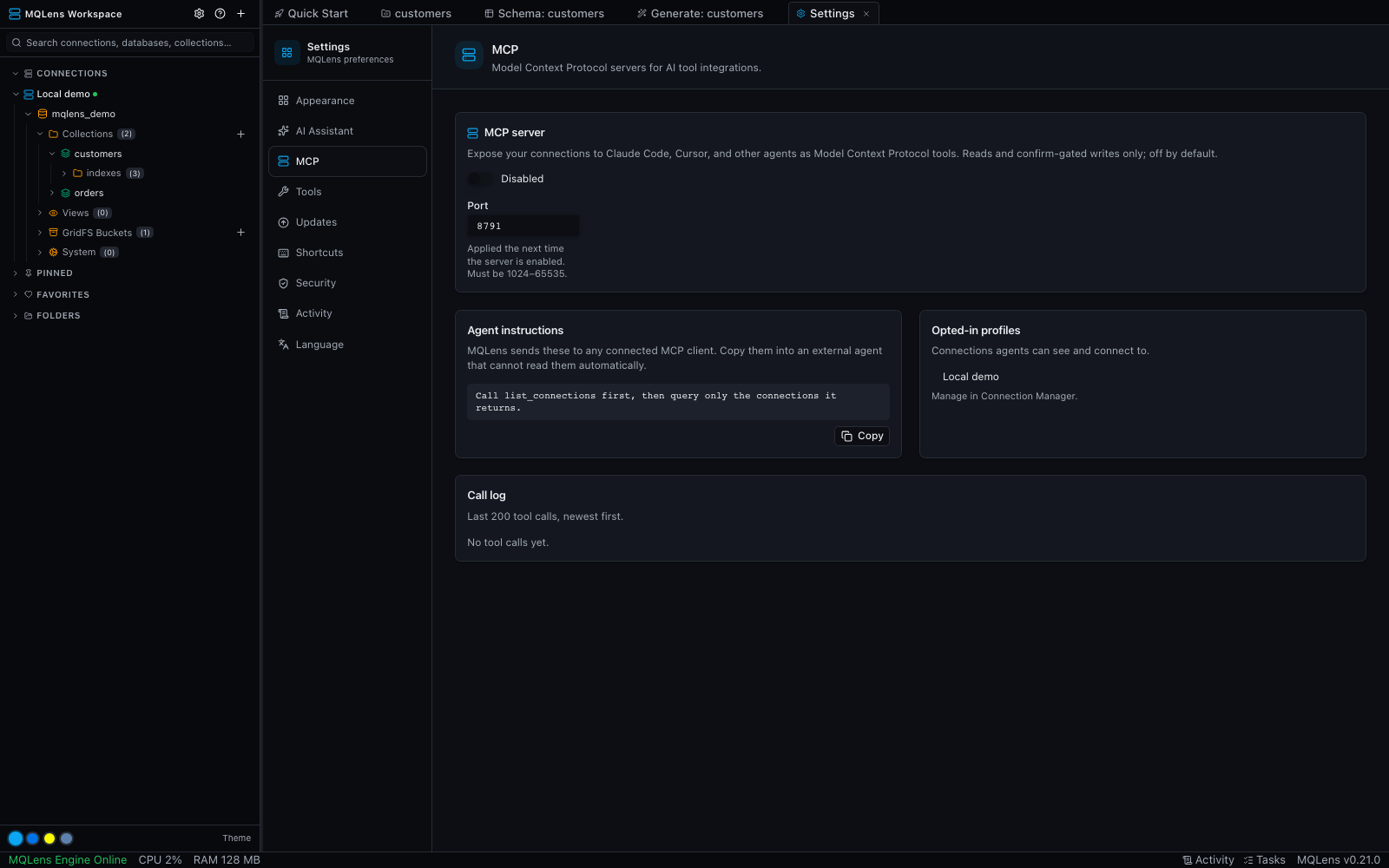
MQLens can act as a Model Context Protocol server, so Claude Code, Cursor, or any MCP client can query your databases as tools — safely.

  • List, find, aggregate, explain, and analyze schema as MCP tools
  • Off by default; opt in per connection
  • Writes gated behind explicit confirmation; read-only connections stay read-only
  • Agent connections are badged in the sidebar with a live call log
MQLens MCP settings with explicit connection controls

Private by design

Connection credentials are encrypted locally, and the app has no telemetry. Optional AI workflows communicate with the providers you configure.

  • Connection profiles encrypted at rest with AES-256-GCM (Argon2id key derivation)
  • Gated behind a master password, with Touch ID unlock on macOS
  • Disabling TLS validation is explicit and warned — never silent
  • Zero telemetry
MQLens connection manager showing a saved connection profile and metadata
Download

Get MQLens

Free, open source, and yours to inspect. macOS, Windows, and Linux.

6,303 release asset downloads

View all releases on GitHub